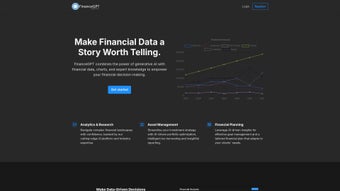

Download FinanceGPT – AI‑Powered Financial Analysis Tool for Investors and Accountants
Introduction
In today’s hyper‑connected markets, finance professionals are forced to sift through endless streams of data, regulatory filings, and spreadsheet models just to keep pace with competitors. The challenge is not a lack of information but the time‑consuming effort required to turn raw numbers into strategic insight. FinanceGPT arrives as a purpose‑built solution that marries large‑language‑model intelligence with live market feeds, delivering a single, secure environment where complex financial analysis can be performed in seconds rather than hours.
Whether you are a portfolio manager looking for a rapid equity‑research summary, a CFO needing a dynamic cash‑flow forecast, or an accountant hunting for hidden anomalies in a balance sheet, FinanceGPT’s conversational interface lets you ask plain‑English questions and receive polished, data‑driven answers instantly. The platform is cloud‑native, continuously updated, and compliant with the strictest data‑privacy standards, ensuring that every insight is both current and trustworthy. This review walks through the core capabilities, deployment options, and real‑world benefits of FinanceGPT, helping you decide if this AI‑enhanced toolbox deserves a place in your financial workflow.
Overview & Core Features
FinanceGPT is an AI‑driven financial analysis engine designed to simplify the most demanding aspects of finance work. By ingesting historical statements, real‑time market data, and user‑provided assumptions, the system generates multi‑year forecasts, scenario analyses, and narrative explanations that would normally require a team of analysts. Its cloud‑first architecture guarantees that every user works with the freshest data, while role‑based workspaces keep sensitive information protected. The platform also offers on‑premise Docker deployment for organizations with strict data‑sovereignty policies, ensuring flexibility across regulated industries.
- Customizable Forecasting Engine: Input historical financials and growth assumptions to produce revenue, expense, and cash‑flow projections. Variables can be adjusted on the fly with instant visual updates.
- Live Data Integration: Pulls data from exchanges, macro‑economic feeds, and regulatory sources (SEC filings, E‑statements) to keep analyses current.
- Automated Health Dashboards: Monitors liquidity, leverage, and solvency ratios, issuing alerts when thresholds are breached.
- Advanced Analytics Suite: Monte‑Carlo simulations, sensitivity testing, and “what‑if” scenario modeling with a single command.
- AI‑Generated Commentary: Provides line‑item explanations, flags unusual entries, and benchmarks performance against peers.
- Credit & Equity Research Modules: Generates rating summaries, covenant assessments, and investor‑ready research reports.
- Collaboration Hub: Secure workspaces for team annotation, goal tracking, and version control with granular permission settings.
- GDPR‑Compliant Security: End‑to‑end encryption, audit logs, and optional data residency options meet SOC 2, ISO 27001, and other standards.
- Continuous Model Refresh: Monthly AI updates incorporate new datasets and user feedback, improving accuracy over time.
Installation, Usage & Compatibility
FinanceGPT is primarily offered as a SaaS solution, eliminating the need for heavy client installations. New users simply register on the FinanceGPT portal, verify their email, and gain immediate access via any modern web browser. For enterprises that require on‑premise hosting, FinanceGPT provides a Docker‑based container that can be deployed behind corporate firewalls. The container installation process is straightforward:
- Obtain the Docker image from the official FinanceGPT repository using your subscription token.
- Run
docker pull financegpt/engine:latestto fetch the latest build. - Edit the
docker‑compose.ymlfile with licensing, database, and network settings. - Execute
docker‑compose up -dto launch the web service, API gateway, and data ingestion workers. - Navigate to
https://your‑domain.comto complete the admin setup and create user accounts.
The SaaS version is platform‑agnostic, running flawlessly on Windows 10/11, macOS 12 Monterey and later, and major Linux distributions such as Ubuntu 20.04+. Mobile apps are available for iOS 14+ and Android 10+, delivering full‑featured access from tablets and smartphones. All platforms share a responsive UI that adapts to screen size, ensuring a consistent experience whether you are at a desk or on the go.
Supported Operating Systems: Windows 10/11, macOS 12 Monterey and later, Ubuntu 20.04+, CentOS 8+, iOS 14+, Android 10+. The native mobile apps can cache reports for offline viewing, which is useful for analysts traveling to locations with limited connectivity.
Using FinanceGPT is as simple as typing a natural‑language query into the chat‑style console. For example, “Create a three‑year cash‑flow forecast for Company X assuming 5 % revenue growth and a 3 % increase in COGS.” The engine instantly returns a downloadable Excel workbook, interactive charts, and a concise narrative that explains the assumptions and outcomes. Results can be exported to PDF, sent via email, or pushed directly into ERP systems through the RESTful API, which supports OAuth 2.0 authentication and provides SDKs for Python, JavaScript, and Java.
Conclusion – Pros, Cons, FAQ & Call to Action
Pros
- AI‑driven analysis reduces manual modelling time dramatically.
- Real‑time data feeds keep insights up‑to‑date.
- Highly customizable forecasting and scenario testing.
- Secure, multi‑tenant architecture meets stringent compliance needs.
- Cross‑platform accessibility – works on desktop, web, and mobile.
- Robust REST API enables seamless integration with ERP, BI, and accounting tools.
Cons
- Subscription pricing may be high for solo freelancers.
- Advanced features like Monte‑Carlo simulations and on‑premise deployment require technical expertise.
- Reliance on internet connectivity for the SaaS version can be limiting in low‑bandwidth environments.
Frequently Asked Questions
Is FinanceGPT suitable for beginners with limited finance knowledge?
Yes. The natural‑language interface allows users to ask plain‑English questions, and the AI provides step‑by‑step explanations. Built‑in tutorials guide newcomers through basic concepts such as balance‑sheet analysis and cash‑flow forecasting.
How secure is the data I upload to FinanceGPT?
FinanceGPT uses AES‑256 encryption for data at rest and TLS 1.3 for data in transit. Role‑based access control, detailed audit logs, and optional on‑premise deployment meet GDPR, SOC 2, and ISO 27001 standards.
Can FinanceGPT integrate with my existing ERP system?
Absolutely. FinanceGPT offers a RESTful API with OAuth 2.0 authentication. Pre‑built connectors are available for SAP, Oracle ERP, and Microsoft Dynamics, while custom integrations can be built using the provided SDKs.
What pricing plans are available?
FinanceGPT provides three tiers: Starter ($49 / month for individual users), Professional ($199 / month for teams up to 20), and Enterprise (custom pricing with on‑premise option and dedicated support). All plans include monthly AI model updates and 24/7 technical assistance.
Is there a free trial or demo version?
Yes. FinanceGPT offers a 14‑day free trial with full access to every feature. No credit card is required—simply sign up on the website and start analysing immediately.
Review Summary: FinanceGPT delivers a powerful blend of AI insight and real‑time data, making complex financial modeling accessible to both novices and seasoned professionals. The platform’s speed, depth of analysis, and security posture earn it a solid 4.5‑star rating.
If you are ready to replace tedious spreadsheet wrangling with instant, AI‑generated insights, now is the perfect time to try FinanceGPT. Take advantage of the 14‑day free trial, explore the full feature set, and see how much faster you can make strategic decisions.
Ready to transform your financial analysis?
Start Free Trial


.png)



